Turn your trip notes into a beautiful printable itinerary
Paste notes or a plan from ChatGPT, Gemini or Claude, pick one of 200+ designs, and print it.
Works with ChatGPT, Gemini, Claude, phone notes and group chats
Showing the AI chat answer example (Kyoto). Paste yours and the preview switches to it.
- No sign-up to preview
- PDF, calendar (.ics), Google Docs & Excel
200+ designs, from blush florals to Swiss grid
Pick a look and the whole trip follows it, from the cover to every day page. Print it as a PDF or open it as an editable Google Doc. Tap a cover to use it for your itinerary above.
 Scrapbook
 Coastal
 Journal
 Boho watercolor
 Passport
 Sakura
 Kawaii
 Fiesta
 Rose water
 Risograph
 Coquette bows
 Cotton candy
 Neon nights
 Butterfly garden
 Hydrangea
 Memphis
 Eucalyptus
 Vaporwave
 Cottage rose
 Santorini
 Daydream
 Retro postcard
 Strawberry milk
 Marrakech
 Champagne toast
 Amalfi citrus
 Aquarelle
 Comic pop
 Love letter
 Azulejo
 Tulip fields
 Instant photo
 Lilac mist
 Tropical
 Airmail
 Art deco
 Wildflower meadow
 Pink lemonade
 Music festival
 Mermaid lagoon
 Peach sorbet
 Garden party
 Botanical
 Rosé vineyard
 Holographic
 Kraft planner
 Moonlit lilac
 Swiss grid
 Candy shop
 Boarding pass
 Orchid
 Aurora
 Japanese waves
 Cottagecore
 Dark academia
 Fashion editorial
 Celestial
 Newspaper
 Paris café
 Nordic
 Midnight luxe
 Metro map
 Bauhaus
 Matcha
One plan, four finished files
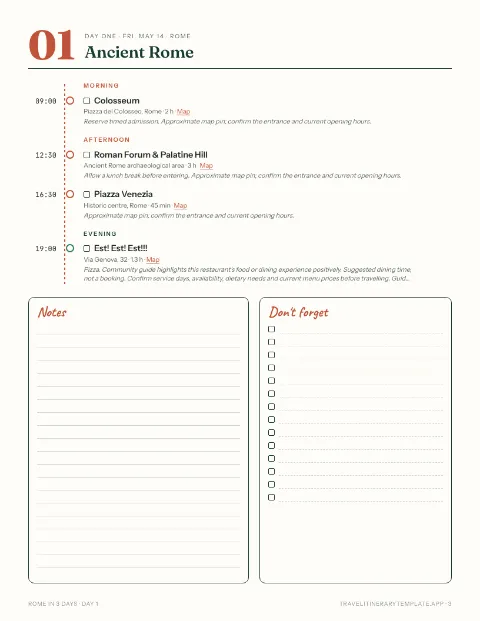
Every trip you dream up, saved and ready to print
- Save trips, packing lists and budgets
- Open them on any device
- Heart templates to plan later
- Add your own cover photo to PDFs
Start from a ready-made itinerary






Find the right itinerary template for your trip
- Weekend itinerary templates220 two- and three-day city breaks, ready to edit.
- Itinerary templates by countryCompare routes and trip lengths in 64 countries.
- All 1,215 trip itinerariesFilter by trip length, style and destination, from 1 to 13 days.
- Schengen visa itineraryApplying for a visa? Get the day-by-day itinerary the consulate asks for, with hotel and flight checks.
Tell us what would make your trip easier
Many of our templates and designs started as a reader's email. The person who builds the site reads every message and replies by email.
- A destination or trip length we don't have yet
- Something broken, or a stop that's out of date
- A PDF design, download format or feature idea
- A short review of your trip plan. With your OK, we may quote it on the site
Prefer your own email app? Write to
[email protected]
Travel itinerary template FAQ
Short answers before you start.
How do I turn my notes into an itinerary?
Paste your notes, a list or a whole plan from ChatGPT, Gemini or Claude into the box at the top of the page. Days, times and places are read as you type, and the preview next to it shows the trip as a finished itinerary.
How do I change the design?
Click a cover under Pick a design, or open All 200+ designs to search by name or style. The whole itinerary follows it, from the cover to every day page. Covers further down the page work the same way.
How do I edit the days, times or places?
Edit the text in the box and the preview updates straight away; add a “Day 2” line to start a new day. For addresses, costs and notes, or to move and duplicate activities, open Fine-tune.
How do I download my itinerary as a PDF?
Click Download PDF, sign in with Google or an email link, choose the paper size and which pages to include, and the PDF is saved to your device. You can also share a read-only link to the trip instead.
Can I start from a ready-made itinerary?
Yes. Pick one of 1,215 day-by-day itineraries in 100 countries, filter by trip length and style, and edit it the same way before you download.
Does it work with Google Docs, Excel and Google Sheets?
Yes. Open Fine-tune and download an editable .docx for Google Docs or Word, an .xlsx workbook for Excel, or copy the trip as a table to paste into Google Sheets. There is no live sync with Google.